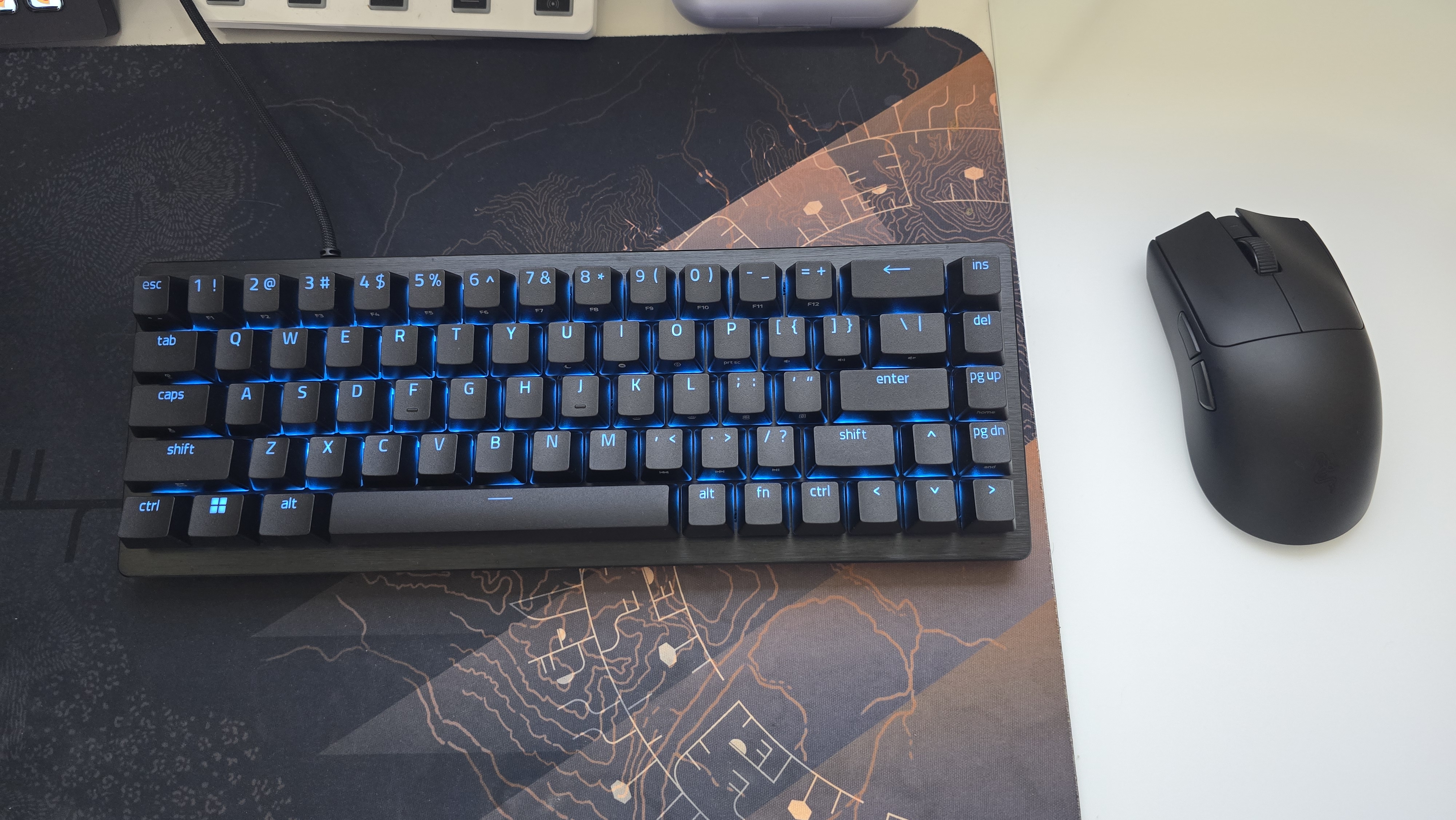

Hall Effect keyboards have quickly become some of the most desirable peripherals for competitive PC gaming. Adjustable actuation and Rapid Trigger once felt like specialized features for enthusiasts, but they now sit at the center of the conversation around faster and more precise input. That growth has also made it harder for any one keyboard to stand out. A modern Hall Effect board needs thoughtful customization, dependable construction, useful software, and features that can make a noticeable difference once a match becomes intense. The Razer Huntsman V3 HE Magnetic Mini 65% 8KHz has been my primary keyboard for the past couple of weeks, and it earned that position almost immediately–there are different size options from full size and 75% as well. I have spent much of that time playing Bungie’s Marathon, where movement can decide whether a Cryo Archive run ends in a successful extraction or the loss of everything I carried into the match. The Huntsman gave me the size I prefer, the speed I expected, and a level of directional control that suited Marathon exceptionally well.
Specifications
Razer Huntsman V3 HE Magnetic
- Form factors: Full, 75% and 65%
- Switches: Razer Hall Effect Magnetic Switches
- Adjustable actuation range: 0.1–4.0 mm
- Average actuation force: 40 g at the default 2.0 mm actuation point
- Total key travel: 4.0 mm
- Polling rate: Up to 8,000 Hz
- Rated average latency: 0.6 ms
- Switch lifespan: 100 million keystrokes
- Features: Rapid Trigger, Snap Tap, Snap Flex, Dynamic Keystroke, and Dual-Keypress Priority
- Snap Tap storage: Up to four key pairs
- Lighting: Per-key Razer Chroma RGB
- Keycaps: Textured doubleshot PBT
- Construction: 5052 aluminum-alloy top case with multilayer internal foam
- Profiles: Six onboard profiles
- Connectivity: Detachable wired USB-C
- Additional features: N-key rollover, pre-lubed stabilizers, secondary media controls, and on-demand switch calibration
- MSRP: $119.99
Compact Design, Complete Build
The 65% form factor is the version I wanted because it gives me the essentials without occupying more space than necessary–plus I stream so the more the merrier. It retains dedicated arrow keys while removing the number pad and function row, creating more room for broad mouse movements as well. That extra space is particularly useful in shooters, where a lower sensitivity can demand long sweeps across the pad, especially since I play at low sense. The secondary functions are arranged well enough that I never felt stranded without the keys removed from a larger layout. Six onboard profiles also give the compact design more flexibility, including default configurations for Rapid Trigger, analog WASD, racing, and high-sensitivity use.
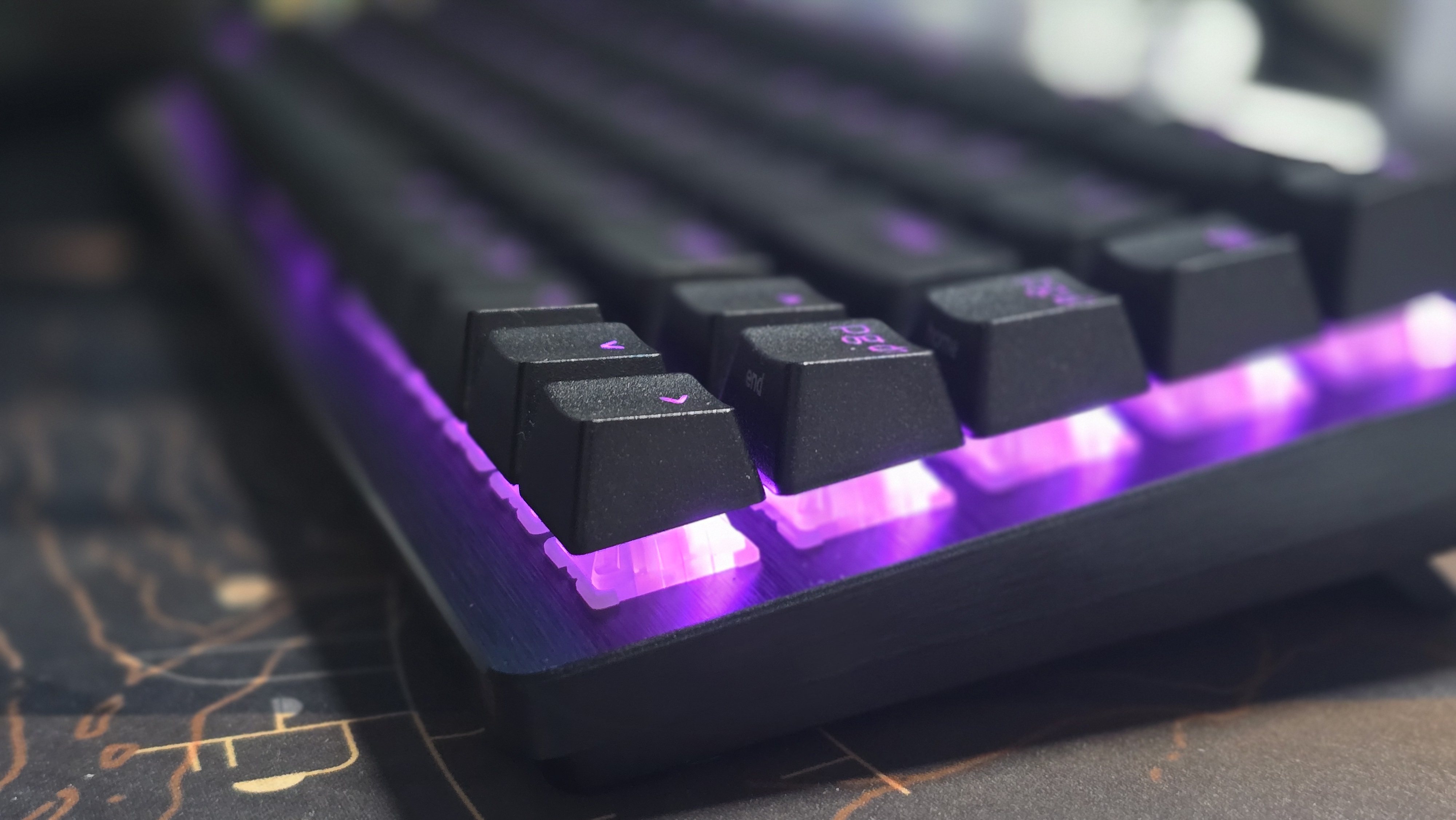
Its small footprint does not come with a lightweight or disposable feel. The 5052 aluminum-alloy top case gives the Huntsman a firm structure, while the textured doubleshot PBT keycaps feel durable and resist the slick finish that develops on cheaper ABS caps. Multilayer internal foam helps soften the sound profile, and the pre-lubed stabilizers keep the larger keys composed. This remains a gaming keyboard with a direct, responsive character, though it avoids the hollow resonance I sometimes hear from compact boards. Per-key Chroma RGB shines clearly through the legends, the detachable USB-C cable makes transport simple, and the complete package feels appropriately premium for $119.99.
Hall Effect Performance
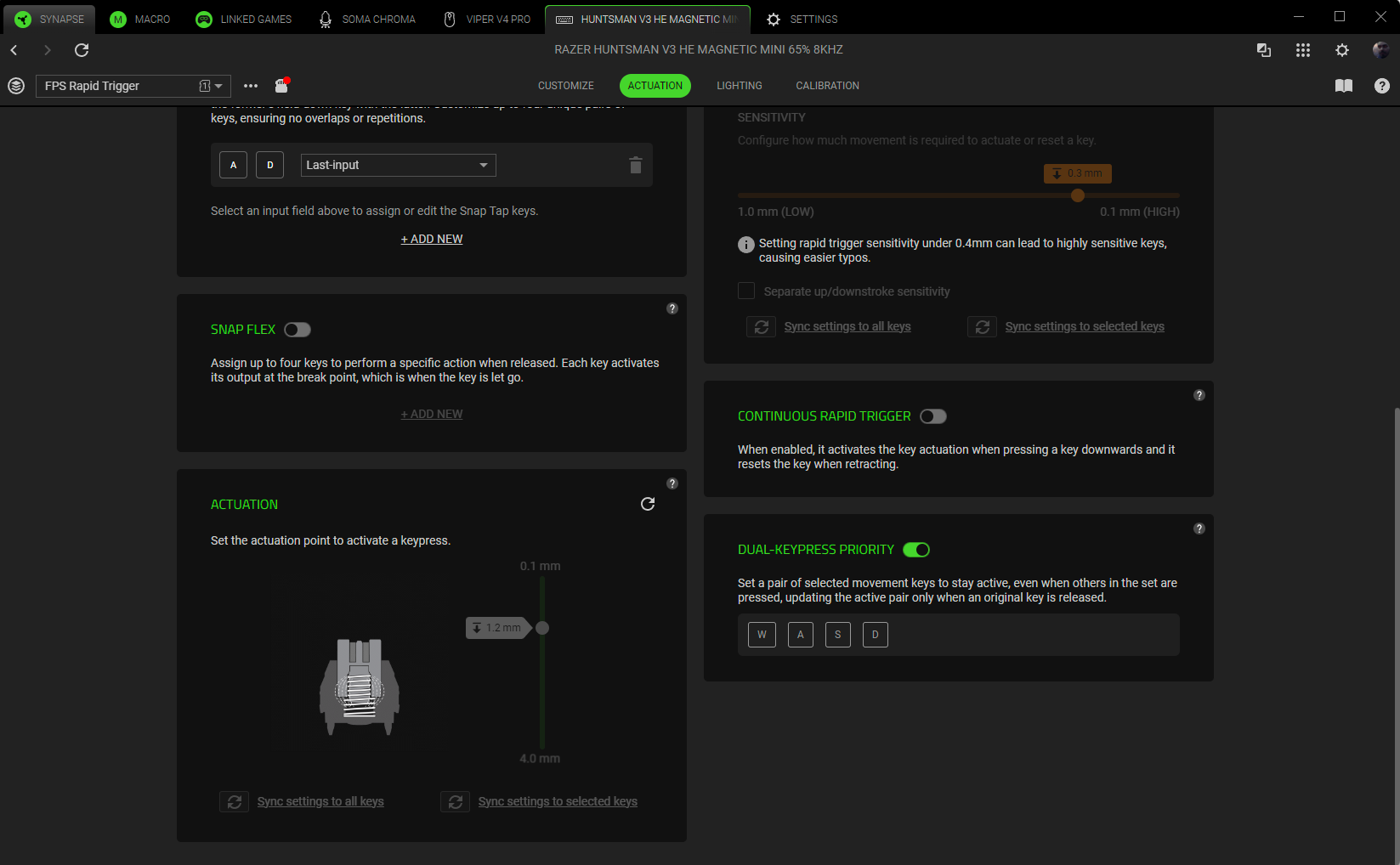
Razer is finally dipping into the HE market! Their Hall Effect Magnetic Switches continuously measure key travel, allowing each key’s actuation point to be adjusted anywhere between 0.1 and 4.0 mm. I could make movement keys extremely sensitive while leaving other inputs deeper to reduce accidental presses. That separation matters more than applying one aggressive setting across the entire keyboard. Once I dialed in the board around my habits, the keys felt tailored to me instead of forcing my hands to accommodate a fixed switch. This was particularly useful for Marathon as I have my X key for quick item use and C as grenade throw–I often accidentally click C when attempting a quick heal, which can interrupt a run rather badly.
Rapid Trigger resets a key according to its upward movement rather than making it return to a fixed reset point. In practice, repeated movement inputs feel immediate and directional changes require less wasted travel. The true 8,000 Hz polling rate allows the keyboard to report inputs far more frequently than a conventional 1,000 Hz model. Razer rates the board at an average latency of 0.6 ms under its testing conditions. Hardware, game performance, and display refresh rate still influence the complete response chain, so I would not pretend that a specification alone transforms anyone’s ability. What I consistently felt was a fast, predictable keyboard that never seemed to trail behind my intentions. Every press registered cleanly throughout my testing, with no missed inputs or inconsistent behavior.
Built for Marathon’s Most Dangerous Runs

Marathon became the ideal test because its PvP asks for more than accurate shooting. Cryo Archive runs can become chaotic when squads converge around valuable objectives, and every corner presents a decision: commit to the fight, bait an opponent into revealing a position, or break contact before the situation collapses. Snap Tap made left-to-right transitions feel exceptionally clean by prioritizing the intended input within a paired set. During quick peeks and strafing exchanges, I could reverse direction without the brief uncertainty caused by overlapping A and D presses. The keyboard did not make decisions for me. It made my physical input easier to express at the speed the encounter demanded. Snap Tap supports as many as four stored pairs and offers several behaviors, including last input, neutral, left priority, right priority, and actuation-depth comparison. That range lets players choose how conflicting presses should resolve instead of being locked to one method. My greatest appreciation, however, went to Dual-Keypress Priority. If I was holding W and A for diagonal movement and then pressed D, the keyboard maintained my current movement until I released A. That logic kept directional transitions controlled during close vault fights, especially when I was weaving around cover and managing several keys under pressure. It shouldn’t take much to get used to that if you were always letting go of each individual key expertly.
Snap Flex binds two inputs to one press so they activate together, which can improve the consistency of actions that normally require near-simultaneous keys. That means you can bind grenade and jump into one key–which is insane. Dynamic Keystroke goes deeper by supporting up to four actions on a key, with two triggered during the press and another two during release. I did not depend on either feature as heavily as Snap Tap or Dual-Keypress Priority, but their inclusion completes the package. They provide room for experimentation across different games and playstyles without compromising the straightforward experience I wanted in Marathon. Razer has assembled a set of tools with distinct purposes instead of several names for the same basic behavior.
Customization Without Friction
Razer Synapse provides the deepest level of control over actuation, Rapid Trigger sensitivity, Snap Tap pairs, lighting, profiles, and the board’s more advanced functions. The keyboard also supports quick onboard adjustments, so important changes do not always require diving into an application. Once I created the setup I wanted, I could store it on the keyboard and move on. That is how peripheral software should operate: useful during configuration and easy to forget afterward. Synapse Web adds a browser-based option for essential changes without requiring the full desktop installation. That is convenient for players who move between computers, travel with the Mini, or want to make a quick adjustment on another system. Razer also includes on-demand calibration for the Hall Effect switches. Magnetic switches can gradually deviate because of environmental conditions or magnet aging, so having a way to recalibrate them helps protect the consistency that makes adjustable actuation valuable in the first place.
Outside of competitive matches, the Huntsman remained comfortable for writing, browsing, and regular desktop work. A 65% layout naturally requires some adjustment if someone relies heavily on a number pad or dedicated function row, but the size feels natural to me. The 40 g average actuation force keeps presses light, while a deeper actuation setting can prevent typing from becoming overly sensitive. I could make the gaming keys aggressive without turning every sentence into a minefield of accidental characters. The strongest compliment I can give the Huntsman is that I stopped thinking about reviewing it. It simply stayed on my desk. Its compact body opened space around my mouse, the switches responded exactly as configured, and the build never gave me a reason to question its longevity. I began each Marathon session thinking about my loadout, squad, and route through Cryo Archive rather than the hardware beneath my hands. A great peripheral supports the experience and then fades out of mind. This keyboard accomplished that within days.
REVIEW SCORE: 10/10
A perfect score sits well with this keyboard as I have zero issues with it. The Razer Huntsman V3 HE Magnetic 8KHz combines form factor with durable materials, an excellent Hall Effect implementation, extensive onboard customization, and competitive functions that proved useful during actual play. At $119.99, it also delivers this feature set at a price that makes the package even more impressive.
For more on Razer and gaming, follow my socials here – I also stream Mon-Sat @9pm ET over on Twitch, TikTok, and YouTube

