

Solid-state storage has become one of the most important upgrades you can make to any modern PC. Games continue to grow in size, creative projects demand faster storage, and moving hundreds of gigabytes between drives has become part of everyday life for many enthusiasts. A fast SSD doesn’t make headlines the way a new graphics card does, but it’s often the component you interact with the most.
Samsung has built a strong reputation in the storage space, and the new Samsung 990 looks to continue that tradition. Positioned as a PCIe Gen4 NVMe SSD for gamers, creators, and everyday users, it promises the speed needed for modern workloads while maintaining the reliability Samsung has become known for over the years. Samsung sent over the 2TB Samsung 990 SSD for review, and for the past week it has lived inside the M.2 slot of the Razer Thunderbolt 5 Dock. It became my workspace for gameplay captures, Photoshop assets, Premiere projects, Steam libraries, and countless file transfers between systems.
| Specification | Samsung 990 SSD 2TB |
|---|---|
| Capacity | up to 2TB |
| Interface | PCIe 4.0 x4 NVMe |
| Form Factor | M.2 2280 |
| NAND | Samsung V-NAND |
| Controller | Samsung In-house Controller |
| Cache | Host Memory Buffer (HMB) |
| Sequential Read | Up to 7,250 MB/s |
| Sequential Write | Up to 6,300 MB/s |
| Random Read | Up to 850K IOPS |
| Random Write | Up to 1.1M IOPS |
| Encryption | AES 256-bit |
| Software | Samsung Magician |
| Warranty | 3 Years |
Design & Build Quality

The Samsung 990 follows the same understated design language the company has used for several generations. What you get is a clean, low-profile M.2 drive that fits comfortably into desktops, laptops, and external enclosures without any installation headaches. That simple approach worked perfectly inside the Razer Thunderbolt 5 Dock. Space is naturally more limited in an external enclosure, so having a single-sided drive kept installation quick and painless. Once secured and formatted, Windows immediately recognized the drive, and it was ready for use within minutes.
The Samsung 990 supports PCIe Gen4 connectivity and is designed to deliver high-speed performance across gaming, productivity, and content creation workloads. Samsung pairs its in-house controller with V-NAND flash memory and Host Memory Buffer technology, allowing the drive to make efficient use of system memory while keeping costs competitive. Samsung also includes support for hardware encryption, TRIM, S.M.A.R.T. monitoring, garbage collection, and its Magician software suite. Those additions may not grab attention individually, but together they contribute to a polished ownership experience. Whether you’re monitoring drive health, checking temperatures, updating firmware, or benchmarking performance, everything is available in one place.
Installation Experience
Installing the Samsung 990 inside the Razer Thunderbolt 5 Dock took only a few minutes. The drive slid into the dock’s integrated M.2 slot without issue, and after securing it in place, Windows detected it immediately. Initialization and formatting were straightforward, and there were no driver issues or unexpected setup steps. Samsung Magician recognized the drive instantly, giving me access to firmware updates, health monitoring, and performance information without any additional configuration. It was exactly the kind of installation experience I hope for when reviewing storage hardware. Everything worked the first time.

My week with the Samsung 990 centered around the type of work I do every day. Large gameplay captures, Photoshop projects, review assets, high-resolution screenshots, Premiere timelines, and game installations all lived on this drive. Rather than running synthetic workloads over and over again, I wanted to see how it handled the tasks creators actually perform throughout the day. The Samsung 990 never slowed my workflow. Opening large folders happened almost instantly, moving projects between drives felt quick, and game installations completed without any noticeable delays. Windows remained responsive while transferring large files, allowing me to continue working without interruptions. Performance stayed consistent throughout the week. Some SSDs begin fast before noticeably slowing during longer transfers. I never experienced that behavior here. Whether I was moving a few gigabytes or copying much larger media folders, the Samsung 990 maintained steady performance from start to finish.
File Transfers & Reliability
Storage is one of those components that earns trust over time. You don’t really think about it until something goes wrong. During my testing, nothing ever did. I repeatedly transferred gameplay footage, archived completed review projects, copied large Steam installations, and backed up media files between systems. Every transfer completed successfully, and I never experienced disconnects, corrupted files, or unexpected errors while using the drive inside the Thunderbolt dock. That reliability ended up becoming my favorite part of the experience. I reached the point where I simply stopped thinking about the drive altogether. It became another dependable piece of hardware in my setup, and that’s exactly what you want from storage. While SSDs don’t directly increase frame rates, they absolutely improve the overall gaming experience. Games install faster, updates complete more quickly, and loading screens become far less intrusive.
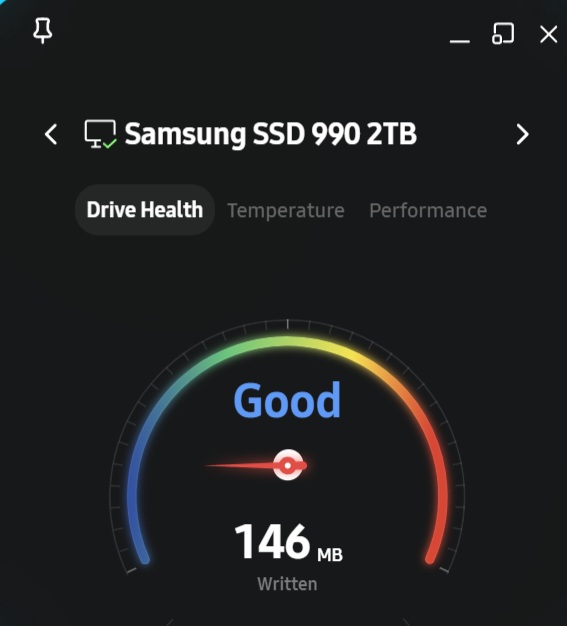
Over the course of the week, I installed multiple games directly to the Samsung 990 while using it through the Razer Thunderbolt 5 Dock. Launching titles felt quick, loading into worlds was responsive, and navigating large game libraries never felt sluggish. I also appreciated how well the drive handled large downloads. Modern games regularly exceed 100GB, and having storage capable of keeping up with those installations makes a noticeable difference over time.
Samsung Magician Software
Samsung continues to include one of the better SSD management applications available. Magician gives you quick access to firmware updates, health monitoring, temperature reporting, drive information, and performance testing through a clean interface that doesn’t overwhelm the user. It’s software you’ll likely only open occasionally, but it’s reassuring to know those tools are available whenever you need them.
I checked in throughout my testing just to monitor the drive’s health and verify everything was operating normally. The software remained easy to navigate and performed exactly as expected.
REVIEW SCORE: 9/10
After a week of daily use, the Samsung 990 earned its place as a storage solution I would happily continue using. It handled everything I threw at it without complaint. Large media projects transferred quickly, games loaded fast, and reliability never became a concern. I also enjoyed testing it inside the Razer Thunderbolt 5 Dock because it demonstrated how versatile modern NVMe storage has become. The dock effectively turned the Samsung 990 into high-speed portable workspace storage that I could rely on throughout my review process. Whether I was editing video, organizing screenshots, installing games, or backing up content, the drive consistently kept pace with my workflow.
The Samsung 990 doesn’t rely on flashy marketing or unnecessary extras. It focuses on delivering dependable performance where it matters most, and after spending a week with it, I believe it succeeds. If you’re looking for a fast PCIe Gen4 SSD for gaming, content creation, or everyday productivity, this is an easy recommendation.
For more on Samsung and gaming, follow my socials here – I also stream Mon-Sat @9pm ET over on Twitch, TikTok, and YouTube

