

Tested with ROG Strix Scar 18
I’ve been using the new Razer Laptop Cooling Pad for a little over a week now, replacing a three-year-old third-party cooling pad that, while serviceable, honestly lacked close to 90% of what Razer is offering here in terms of Smart cooling features, integration, and everyday convenience. From the moment I unboxed it, it was clear that this wasn’t meant to just be “another fan under your laptop”—it aims to be part of the setup, part of your thermal management, and part of your workflow.
As someone who regularly rotates between demanding workloads—whether that’s testing out the latest visually intensive releases on an 18-inch gaming laptop or pushing out media editing workloads—I’ve seen firsthand what sustained heat can do to performance. The stakes are high, and cooling solutions matter. The Razer Laptop Cooling Pad takes that conversation and brings intelligence and control into the equation, providing a much smarter cooling experience than the simple “on/off high-fan mode” pads most people are used to.
Build Quality & Design
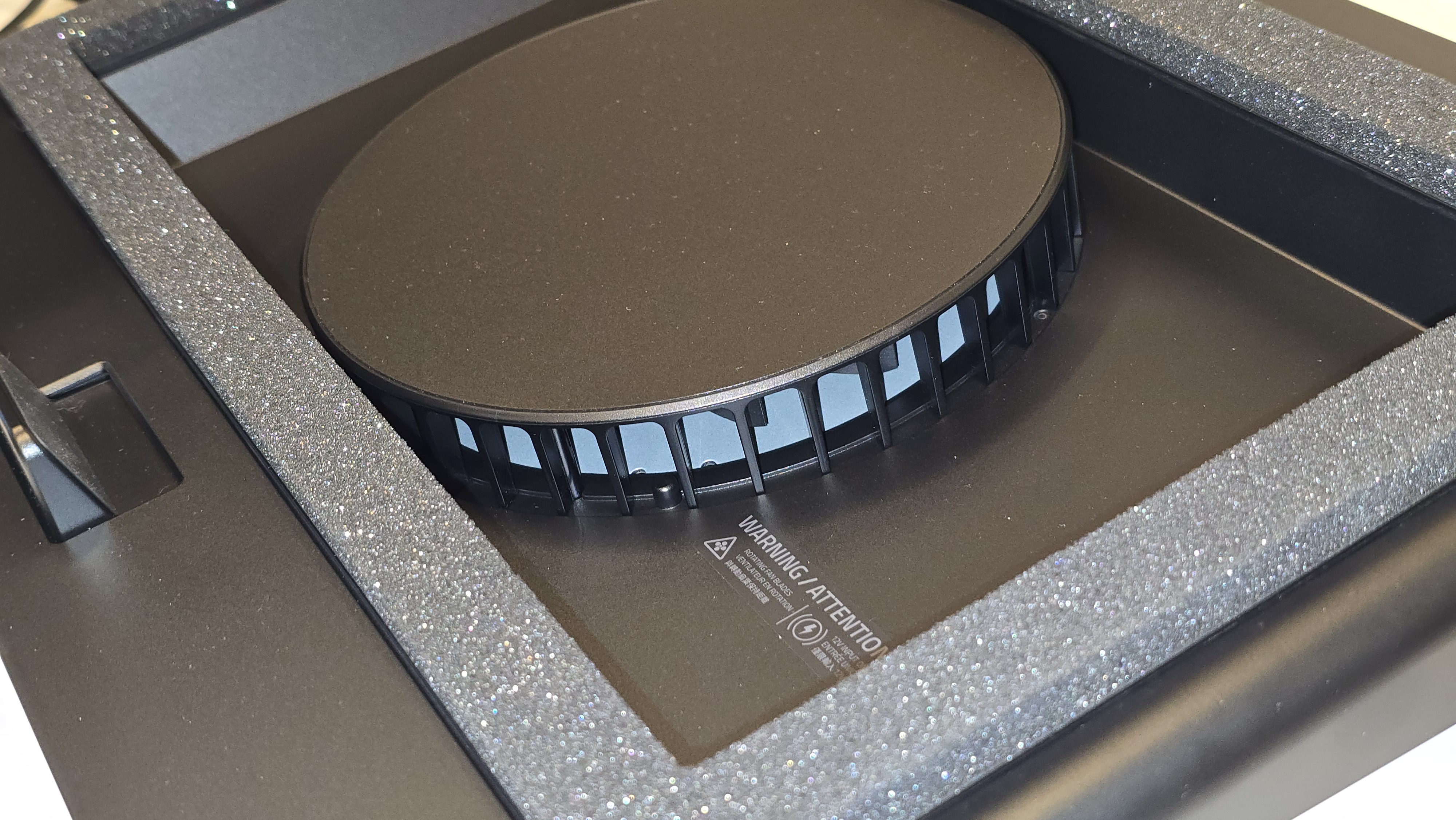
At first touch, the cooling pad has a primarily hard-plastic shell. It’s sturdy, structurally sound, and shaped well to hold and seal against the bottom chassis of laptops up to 18 inches—but I’d be lying if I said I wasn’t expecting something more premium in hand. The plastic itself doesn’t feel cheap, but it also doesn’t carry the same cold-to-the-touch metal finish that people might expect from a product in this price category.
That said, the functionality of the design outweighs the tactile impressions once it’s in use. The pad comes with interchangeable magnetic frames and memory foam seals that help create a near-airtight chamber, crucial for maximizing airflow into your system rather than just blasting air blindly at a laptop’s underside. Once the laptop is seated properly—and this is important—the cooling effect is immediate and noticeable.
The Features That Matters
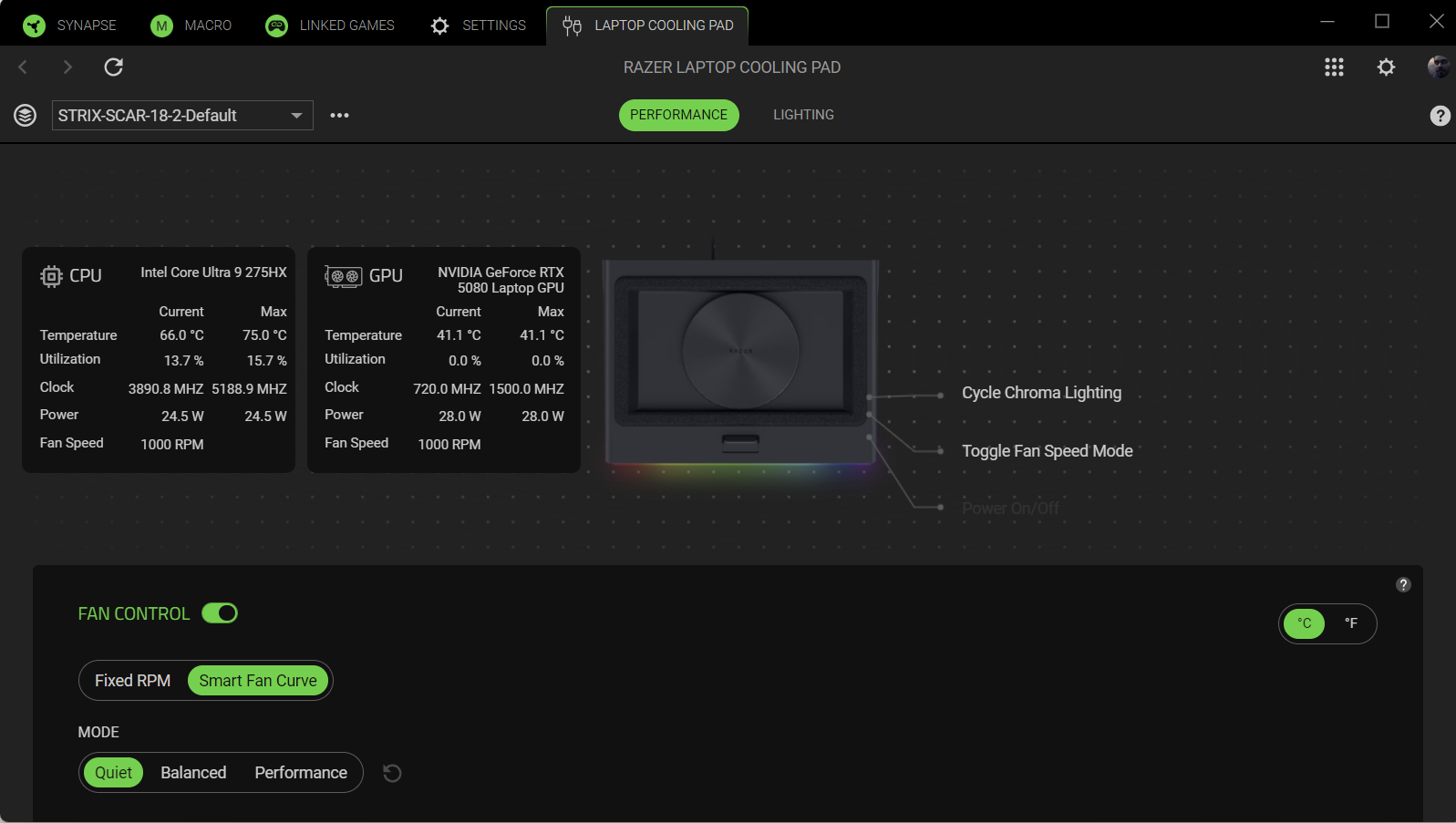
Through Razer Synapse, the cooling pad can read your system’s CPU and GPU temperatures to automatically adjust fan speeds in real-time. The fan can ramp up to around 3000 RPM for heavy workloads but scale down when idle or browsing to keep noise at manageable levels. This genuinely improved day-to-day thermal stability. Instead of constantly toggling settings, I could let the system decide.

If you like full control, the Synapse interface offers manual tuning. Three main preset curves (Quiet, Balanced, Performance) are available, but you can create fully custom fan curves tied to exact temperature thresholds. I leaned toward a slightly more aggressive curve for gaming, but the fact that I didn’t have to micro-manage it is what sells the Smart Mode to me. The memory foam lining around the included frames allows the pad to form a tight seal under different laptop shapes, directing airflow through your laptop’s cooling intake instead of losing pressure to open air. On my 18-inch unit, this made a big difference—especially during GPU-heavy gaming sessions.
There’s also a 3-port USB-A hub built into the rear, letting the cooling pad double as an expansion dock. This helped clean up peripheral routing and reduce cable clutter—something I appreciate more than I initially expected. Across several workdays and gaming sessions (Destiny 2, Battlefield 6, Hades II, editing videos, and Chrome tabs galore), the pad consistently kept my system cooler by an average 45°C depending on load and ambient conditions. Some systems and environments will see more or less variation, but the consistency mattered most. Noise levels do increase at high RPM, but Smart Mode avoids the dramatic fan ramp jumps I’m used to—the changes are more gradual, less intrusive, and genuinely balanced. Though, I noticed in Quiet Mode it does this ramp up sequence that I’m not use to—it’s a bit distracting as it could sometimes just quiet down for a couple minutes then suddenly a loudness kicks in for a few seconds before dialing down.
The Trade-Offs
- The hard-plastic shell doesn’t feel as premium as the price might suggest.
- Some users may find cheaper alternatives with less software features but same results.
But—and this is where I personally land—none of those alternatives offer the smart element. The airtight seal. The Synapse integration. The ability to set and forget.
REVIEW SCORE: 9/10
The Razer Laptop Cooling Pad is one of the smartest and most refined laptop cooling solutions available right now. Yes, there are less expensive pads on the market, and yes, some of them can move comparable air. But the intelligent temperature-responsive fan control, the magnetic frame system, the airtight seal, the USB hub integration, and the ease of customization all elevate this far beyond “just a cooling pad.”
For me, it stands tall because it feels like part of the setup—not just an accessory.
If you’re looking to upgrade your laptop cooling pad you can find it on Amazon
You can check our unboxing of the Razer Laptop Cooling Pad on Tiktok / Instagram.
For more on Razer and gaming, follow my socials here – I also stream Mon | Tues | Thurs | Fri @10pm ET over on Twitch, Kick, TikTok, and YouTube

