

ASUS sent over the RTX 5070 / Intel Ultra 9 285H / 16GB RAM model
Having just wrapped my time with the 2025 ROG Strix Scar 18, I was already familiar with what ASUS is offering in this generation of hardware. While the Strix has higher tiered specs, it gave me a baseline of what to expect out of Intel’s new Ultra 9 series paired with NVIDIA’s 50-series GPUs. Shifting down to the Zephyrus G16 (Buy Now), I wanted to see how the smaller frame would handle the same kind of stress, especially since this one came configured with the RTX 5070 and 16GB of memory. The Scar 18 is a brute force machine, but the Zephyrus G16 leans more toward portability while promising that same premium ROG pedigree.
Thin Design with Great Power

The CNC aluminum unibody immediately sets the G16 apart. It’s a laptop that feels like it belongs both in a studio workspace and on a LAN setup. ASUS went with a refined Eclipse Gray finish on my unit, though Platinum White is also available. The Slash Lighting array across the lid is more subtle than the AniMe Vision from previous models, but it adds just enough flair to keep the Zephyrus recognizable.
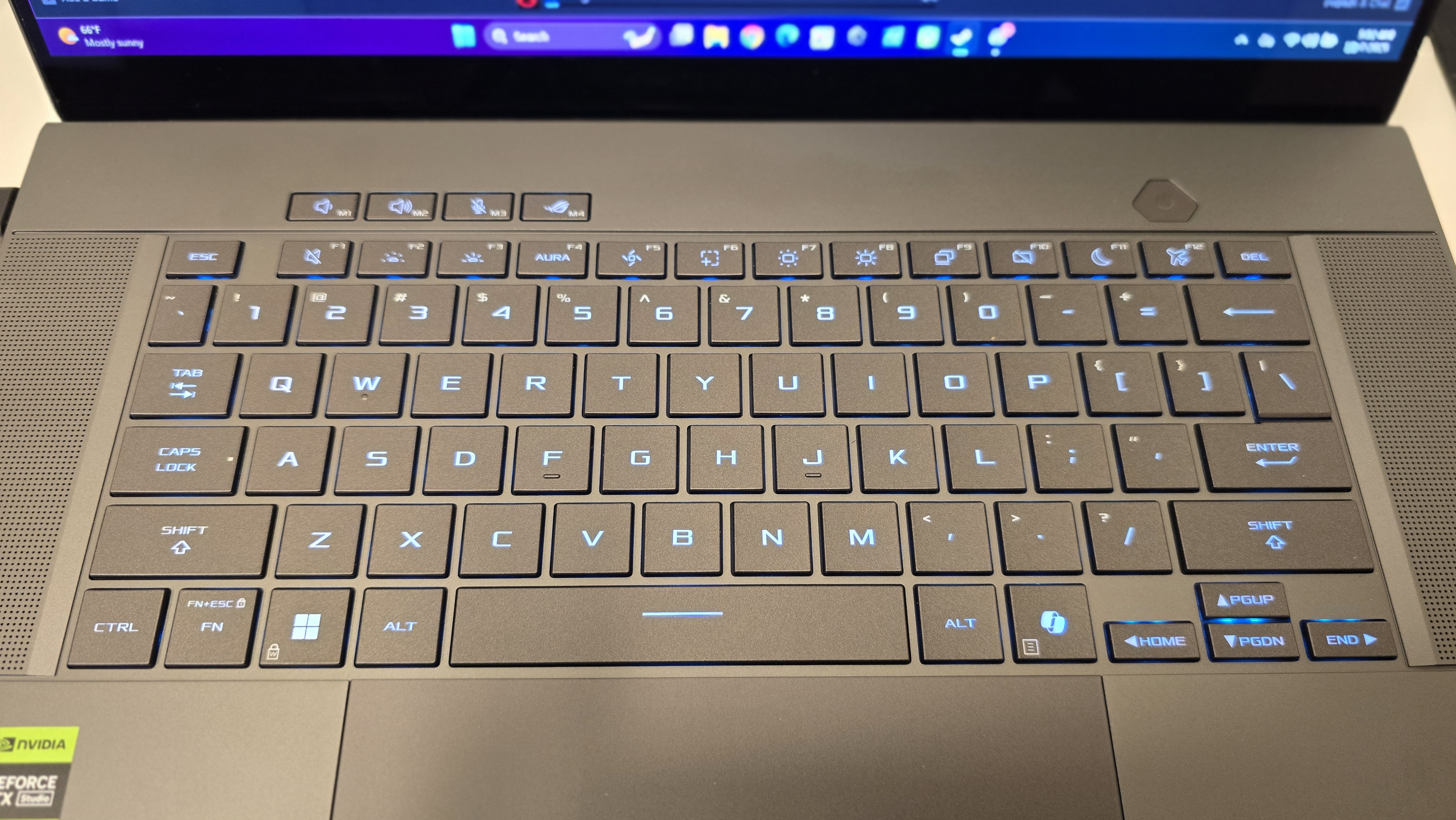
Opening it up reveals slim bezels framing a 16-inch OLED Nebula display. The 16:10 aspect ratio gives more vertical room, which is perfect not just for games but also for writing and editing. The trackpad matches the display’s aspect ratio, giving me a spacious and responsive surface. The keyboard deck is rigid with no flex, a direct result of the aluminum build, and the Stealth Hinge design routes heat exhaust away from the OLED panel.
At 1.95kg, it’s light enough to slip into a bag and still leaves room for accessories without feeling weighed down. This is a laptop that takes the portability-first philosophy of the Zephyrus line seriously, while still presenting itself as premium and well-crafted.
Specifications
Here’s what the review unit came equipped with:
- CPU: Intel® Core™ Ultra 9 285H (16 cores, 16 threads, up to 5.4GHz, AI Boost NPU)
- GPU: NVIDIA® GeForce RTX™ 5070 Laptop GPU (GDDR7, up to ~105W TGP with Dynamic Boost)
- RAM: 16GB LPDDR5X-7467
- Storage: 1TB PCIe® 4.0 NVMe SSD
- Display: 16-inch 2.5K (2560 x 1600) OLED, 240Hz, 0.2ms, 100% DCI-P3, G-SYNC
- Battery: 90Wh, 50% charge in 30 minutes
- I/O: 2x USB-A, 2x USB-C (one Thunderbolt 4), HDMI 2.1, SD card reader (UHS-II), 3.5mm combo jack
- Wireless: Wi-Fi 7, Bluetooth 5.4
- Audio: 6-speaker system (4 woofers, 2 tweeters) with Dolby Atmos
Performance
To see what this configuration could do, I tested it across a handful of modern and demanding titles. All games were run at native 2560 x 1600 resolution with DLSS Quality where applicable. I also compared Frame Generation on and off to measure real-world improvements.
Borderlands 4
- Frame Gen Off: ~78 FPS
- Frame Gen On: ~124 FPS
- Temps stayed steady with GPU averaging 74°C, CPU hovering around 82°C.
Cyberpunk 2077: Phantom Liberty
- Frame Gen Off: ~62 FPS
- Frame Gen On: ~104 FPS
- With RT Ultra enabled, temps crept higher, GPU around 77°C, CPU at 85°C.
Destiny 2
- Frame Gen Off: ~92 FPS
- Frame Gen On: ~139 FPS
- Perfectly smooth across raids and PvP maps, temps at 72°C GPU / 80°C CPU.
Cronos: The New Dawn
- Frame Gen Off: ~68 FPS
- Frame Gen On: ~115 FPS
- The retro-futurist Poland backdrop looked stunning on OLED. Temps stable at 75°C GPU / 82°C CPU.
Across all titles, Frame Generation proved invaluable, offering up to a 70% uplift while keeping latency manageable. The RTX 5070 may be the entry tier of the 50-series stack, but paired with this display it delivered experiences that felt premium. The CPU’s performance cores and AI Boost NPU kept background tasks smooth, even while recording gameplay.

And even with all of its greatness, it definitely has some quirks. The slim frame holds up well, but when I push the Intel Ultra 9 285H for long stretches, temps climb and the fans ramp hard in Turbo mode. The keyboard deck definitely warms under pressure, and while it’s never unbearable, it’s noticeable. Battery life is another thing I couldn’t ignore—light use is fine, but the moment I started gaming, I barely got past an hour before needing to plug in. So, like all laptops, make sure you have a place to plug in.
I also noticed software isn’t as polished as I’d like. Armoury Crate sometimes acts up, and I’ve seen the occasional hiccup switching modes. At higher configurations, the price creeps into territory where other laptops start to feel like better raw performance buys, and I did catch small things like a bit of coil whine and hinge creaks that I know some users have also reported. These don’t ruin the overall experience, but they’re there. Even with those caveats, the G16 still feels like one of the best blends of portability and power you can buy today—it just comes with trade-offs I think buyers should know going in.
REVIEW SCORE: 8/10
The 2025 ROG Zephyrus G16 makes a compelling case for those who want a slim, portable machine without sacrificing raw gaming power. While the RTX 5070 won’t hit the maxed-out numbers of a 5080 or 5090, the performance uplift from DLSS 4 and Frame Generation bridges the gap impressively.
- Build Quality: Premium unibody, portable, stylish
- Display: One of the best OLED panels in this size and resolution
- Performance: Solid for AAA titles at native 2.5K with Frame Gen support
- Thermals: Well-managed thanks to Tri-Fan and Vapor Chamber system
- Battery: Strong for an OLED gaming laptop at 90Wh
This is the Zephyrus refined. A machine that feels just as comfortable in the office as it does in a game lobby, balancing power and portability in a way that ROG has been chasing for years.

