

So this is the third time around for Google’s own WearOS watch. As the making of the hardware and the OS, I always expect more from a “Pixel” device. When it comes to the Pixel watching, something I had been waiting for ever since the rumors started way back when, so far I haven’t been disappointed. Now with the Pixel Watch 3, Google has given us some more of the same. But this isn’t necessarily a bad thing, let me tell you why!
What’s The Same

One thing I always fear, and Google did do this from Pixel Watch to Pixel Watch 2, is them changing up stuff that makes those who purchased the previous model, have to re-adapt for the new. With the first Pixel Watch, we had one type of charging puck, and those who started to build out any accessories based on it had to chuck it all aside when for the second one, they changed it. I’m happy to report that if you owned the Pixel Watch 2, and picked up spare charging pucks, or maybe desk holders/chargers for your watch, they will work with Pixel Watch 2 in both the 41mm and 45mm models. This is also true if you have built your watch band collection. The same bands that worked with the Pixel Watch 2, will work with the Pixel Watch 3 if you choose the 41mm model. However due to the large size of the 45mm version, you will be starting your collection again, and not all first-party bands are available. This part hurt me personally, as I’ve been using the 45mm during my review. I waited so long for one of the bands, the Metal Mesh band, which I just can’t use with the 45mm, and currently there this isn’t available to buy again in the 45mm size.
What’s also the same is the general look and feel and even some of the internals. The design is the same beyond the larger size options this go around, and some reduced bezels on this year’s model. Sure peak brightness is up, and they have now an “Actua” display, but the same Corning Gorilla Glass 5 is present on past and new. On the inside, both have sensor capabilities, the same water resistance, some GPS abilities, and the same chip really and battery size (somewhat bigger for the 45mm version of course). This is good for those who still plan to rock the Pixel Watch 2. While the Pixel Watch 3 currently has access to some cool new features, there is nothing that looks as if it couldn’t be brought to the Pixel Watch 2 later on.
What’s New & Interesting (The Good)
So now that we got what’s mode of the same, let’s talk about new. As if the brand that is Google, what is new and interesting comes down to the software and experiences rather than the hardware chops. With the Pixel Watch 3, Google brings a host of new features from new Google Home abilities to better information along with its integration with Fitbit. A lot of the newer Fitbit stuff should be interesting to you if you are a runner, I however am not. But, here are some of my favorite features that I’ve used so far.

- Live Nest Streaming & Two-Way Talk: This by far has been my favorite feature. I was already happy when I could just see snapshots from my watch when my cameras were triggered, but not live streaming. This has been very useful when I’m away from my phone and need a quick check, or if at night in bed something triggered and I don’t need to reach for my phone!
- Readiness & Cardio Load Targets: Like I said earlier, I’m not a runner. However, I do like to work out, and based on my stats daily, knowing if I should go a little harder or lighter for the day is helpful. Being able to start within a good zone so I don’t overdo it or on the flip side, when I need the encouragement to push a little harder is nice!
- The Morning Brief: Each morning you wake up with a nice recap at the start of the day. Gives me basics like the weather, where I’m currently in my readiness, and cardio load targets based on the previous day. This way I start with a little goal and info for the day.
- Better Google Home Control: More prominent this go around, and very useful. I tend to use this a lot when I’m in bed and maybe want to cut off the lights without grabbing the phone or using my voice. I can quickly get to what I need right from the watch since I wear it to bed for sleep tracking.
- Auto Bedtime Mode: This one has been good and has helped me accurately catch my sleeping. While before I tend to trigger bedtime at night during the typical times, I sometimes forget if I’m extra sleepy. And then, there are other times when I fall asleep mid-day (those older person naps are real!), and before this isn’t the normal bedtime, I don’t get to capture those. With Autom Bedtime Mode, the Pixel Watch 3 detects when I’m sleeping within 15 minutes and enables it for me. This has helped capture truer sleeping time, no matter when in the day I’ve dosed off haha!
Now within the last 3 weeks of the Pixel Watch 3 use, these are just some of the features I’ve used/relied on the most. But this is of course just a fraction of the features it has, and more so if you are someone who considers themselves a runner. Going over them would take an article on its own, so I’ll just cover these few so far.
What’s the Rub (The Bad)
The good news is, there isn’t much to complain about with the Pixel Watch 3. They have vastly improved the battery life, but it could be better. Some competitors are getting 3-4 days compared to the 2-ish with the Pixel Watch 3 (which is more than the 24 hours they stated, more on that later). Most of the stuff I would list as complaints can be fixed after the fact by Google. Some of my biggest, and ultimately minor complaints are.

- Watch bands for the 45mm version: This isn’t a problem if you choose the 41mm version. However, not all watch bands are available for the 45mm one. Some of my favorites like the Stretch band, and the Metal Mesh band aren’t currently available for the 45mm, and no word if they will come later. If you were interested in the two-toned leather band, nope, it’s not available for the 45mm. Hopefully, Google will bring that to them later, not a year later like they did the original Metal Mesh.
- Lack of Google Gemini for the Pixel Watch 3: This is minor as Google Assistant is just fine. But given how so much emphasis was put on Gemini this year, with it center stage in the Pixel 9 phones series, and even in the coming Pixel Buds Pro 2; Why not in the Pixel Watch 3? It just seems as if the watch would be a good fit for Gemini replacing Assistant there as well. This might not be a true complaint, and more like curiosity at the lack of it.
- Increased Cost & Lack of Repairability: Those two things make for a bad combination in my book. For one the Pixel Watch 3 ($349.99/$$399.99) is about $100-$150 more than the Pixel Watch 2 (depending on which one you get) for just the Bluetooth/WiFi version. And a full $200-$250 more ($449.99/$499.99) if you want the 4G LTE version (which trust me, honestly you don’t need it). Yes, they kick it 2 years of data via GoogleFi, but that is still expensive. Then if that screen gets scratched or it breaks in some way, you won’t be repairing it. If you pony-ed up with the protection plan Google has for it, they’ll just send you a new one. But if you didn’t add that protection, well that is a lot to replace it.
Overall the minus are few, and the Pixel Watch 3 is a nice upgrade over the Pixel Watch 2. They fixed some things from the prior model and brought quite a few new features that just make it worth it if you’re in the market.
The Experience
I’ve been using the Pixel Watch 3 45mm for just one week shy of a full month, and I’m thoroughly enjoying it. You’ll need to stay tuned for our upcoming video on our channel on whether the 45mm version is the one to get over the 41mm, but for now, the Pixel Watch 3 as a whole has been great.

First off, let’s talk about that battery life. Google states with Always on Display (AOD) the watch can last about 24 hours. In practice, this has far exceeded that. For the last 3 weeks, I’ve turned on AOD and left it on. This is different from my use of the Pixel Watch 2, as I had that feature turned off for the most part to maximize the battery life. With the Watch 3, I’ve left it on and have consistently gotten about 2 days of use of it. This has jacked up the routine I had established with the Pixel Watch 2. Where I would make it through the day, and then sleep track for the night. The next morning, I would have anywhere for 20-30% left, less if it was an extra busy day prior. I would throw it on the charger as I got prepped and dressed for the day, and then kick off the day with a full battery. With the Pixel Watch 3, I routinely haven’t needed to do this. A full day and full night would pass, and then into the morning, I would have more than enough to take me through another day. If the activity for that 2nd day wasn’t too much. The battery life hasn’t been better than expected!
Beyond the battery life, I love using the watch (this has and is currently my favorite piece of tech). Waking up to the morning brief, with some tidbits to get my morning started. Being able to live view with my daughter takes the dog out to the bathroom right from the watch, no phone need are great features to give. Getting insights like the Cardio Load and notes on when I’m staying within those ranges, when to push, and when to chill back have been useful. Then there are features I haven’t even used yet, but intrigued at the prospect when the need comes up. The Pixel Watch 3 has the Google Recorder app installed, which I can see coming in handy if I need to record a conversation or something and may not exactly be near my phone at the time. The Pixel Watch 3 doesn’t let me down and steps up my enjoyment coming from the Pixel Watch 2.
Should You Get It?
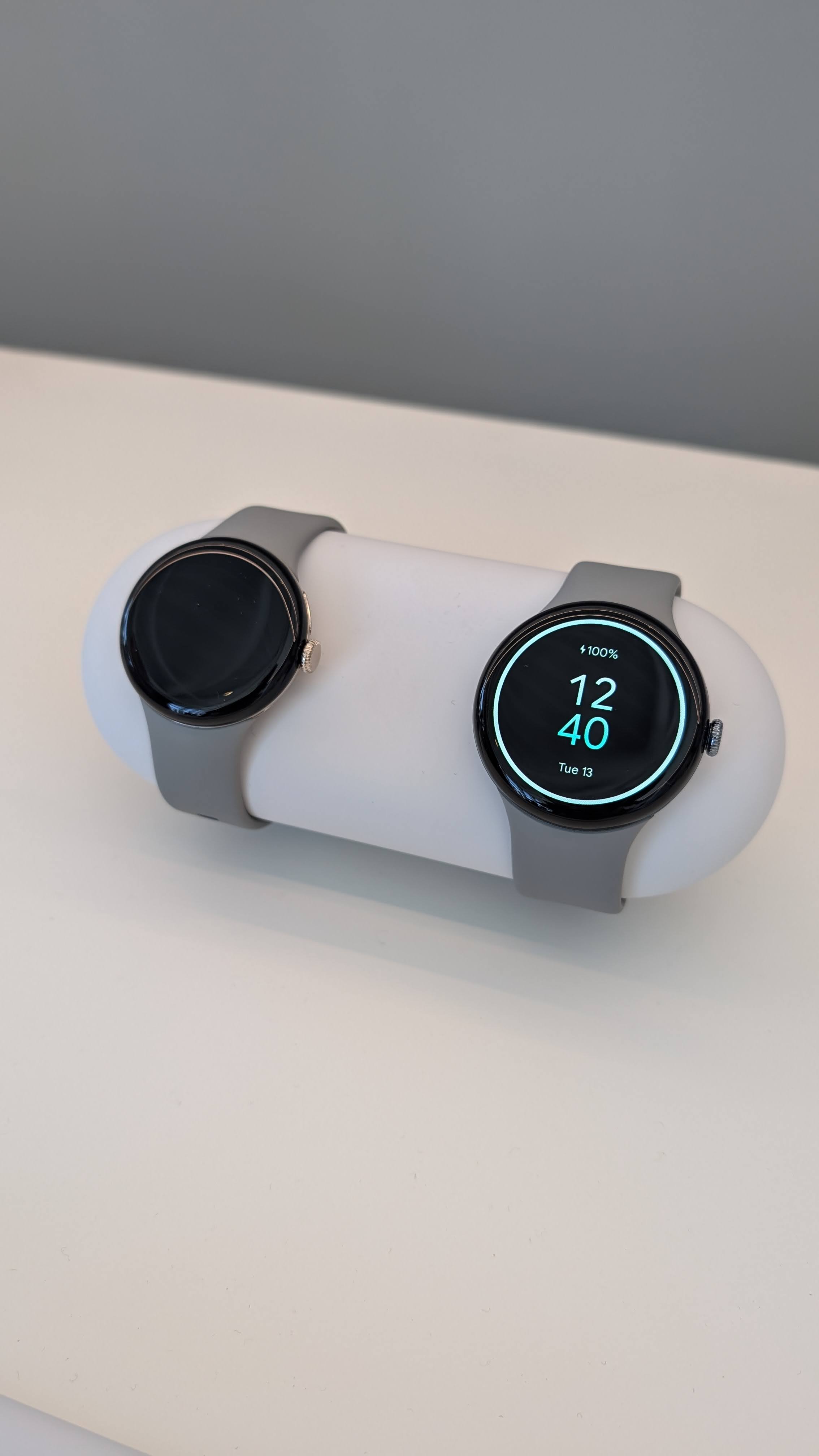
This is the part in which I must not let my excitement, outweigh my practicality. The Pixel Watch 3 is a great product and I love the watch. But should you pick it up? Well, that depends on the situation.
- Do you currently have no smartwatch at all? Get it!
- Do you own the Pixel Watch 2? I’d say hold off, as I believe we may see some of the cool features (not all but some) come to the Pixel Watch 2 later on since the internals are roughly the same. Do you want the larger 45mm size? Then by all means pick this one up.
- Do you have a sizable Pixel Watch / Pixel Watch 2 band collection? Don’t get it, unless you intend to stay with the 41mm. You’ll need to build over your collection if you choose the 45mm, and not all band options are available for this size.
I hope that helps you some in your decision-making. Again, stay tuned for our upcoming video, where we dig more into the 45mm version and the answer is that one worth it over the 41mm one. Until then, sound off in the comments, do you indeed to pick up the Pixel Watch 3?

